ESP32
Put the ESP32-S3 on the breadboard and feed the + and − rails from it. Later steps take power from those rails.
Before you start
Checkpoint 1 passed. USB unplugged while you seat jumpers.
Match pins by silk label, not by position. The underside silk is mirrored compared with the top.
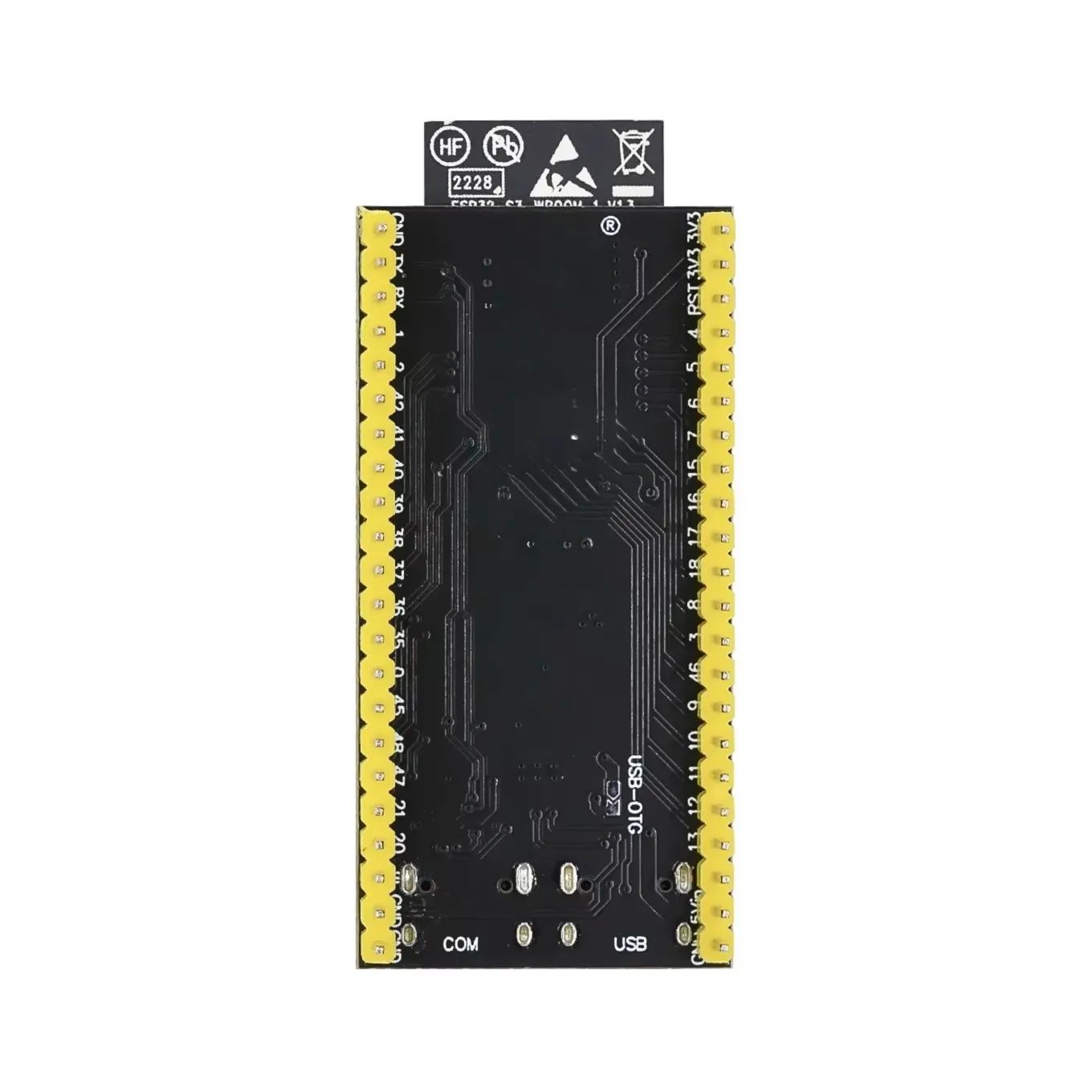
Wires
| From ESP32 | To breadboard | |
|---|---|---|
| 3V3 | + rail |
|
| GND | − rail |
If your rails split in the middle, bridge each gap with a short jumper.
Warning
Don't power the sensor or display from 5V or VIN.
Leave these pins free
| Pin | Why | |
|---|---|---|
| GPIO0 | The BOOT button, used for the factory reset | |
| GPIO19 / 20 | Native USB | |
| GPIO35–37 | PSRAM | |
| GPIO45 / 46 | Strapping pins |
Check
Plug a USB-C data cable into the port labelled COM, then run:
lsusb | grep -iE '1a86|QinHeng'
ls -l /dev/ttyACM0 /dev/ttyUSB0 2>/dev/null
Bus 001 Device 015: ID 1a86:55d3 QinHeng Electronics USB Single Serial
crw-rw-rw- 1 root dialout 166, 0 Nov 10 22:12 /dev/ttyACM0
The COM socket appears as a QinHeng serial bridge (1a86), not as an Espressif device. If lsusb shows Espressif (303a) instead, the cable is in the native USB socket. Move it to COM.
The device number and date will differ on your machine. Nothing on the board should get warm. Unplug before the next step.
If it fails
| Symptom | Fix |
|---|---|
No /dev/ttyACM0 |
Try another data cable, and check it is in the COM socket, not USB |
| Board warm | Unplug. 3V3 and GND may be swapped or shorted on the rail |
A meter on the + rail reads 5 V instead of about 3.3 V |
The rail is fed from the wrong pin. Move the wire to 3V3 |
Checkpoint 2
- Only 3V3 to
+and GND to−from the ESP32 (no sensor or display wires yet) - Rail gaps bridged, if your board has them
- The board shows up in
lsusband as/dev/ttyACM0 - The board stays cool
Stop here until every box is ticked.
Next: SHT40